
Best AI Clipping Tools for Vertical Shorts & Campaigns
The best AI clipping tool comes down to your actual workflow—fast URL-to-9:16 batches for streams and clipping campaigns, deep team timeline editors, or social scheduling suites. Paste any YouTube, Twitch, Kick, or podcast link and turn multi-hour footage into punchy 9:16 vertical clips with dynamic captions—built for creators, streamers, and clipping campaigns.
- 5 tools compared side by side
- Input sources & 9:16 captions
- Clear picks by creator workflow
Clipden vs. OpusClip vs. Vizard vs. Klap vs. Munch
Every tool below converts long-form video into vertical shorts—the real difference is source link support, caption speed, and how many menus sit between your link and a ready clip.
| Tool | Best for | Input sources | 9:16 & captions | Workflow focus |
|---|---|---|---|---|
| Clipden | Streamers, podcasters & clipping campaign editors | YouTube, Twitch, Kick & podcast URLs | 9:16 auto-reframe + dynamic word-by-word captions | Fast URL-to-9:16 queue built for 30s/60s vertical batches |
| OpusClip | High-volume YouTube creators & agencies | YouTube links & uploaded video files | AI reframing, virality score & caption templates | All-in-one repurposing suite with social scheduling |
| Vizard | Marketing teams & webinar repurposing | YouTube, Zoom, Google Drive & uploads | Multi-layout templates & editable transcript captions | Browser timeline editor with team collaboration |
| Klap | Solo YouTube creators wanting quick shorts | YouTube links & local uploads | Auto-crop speaker focus + stylized subtitles | Minimalist YouTube-to-Shorts workflow |
| Munch | Brands tracking trend keywords across clips | YouTube links & uploaded long-form videos | Auto-captions + trend/topic scoring | Marketing-oriented clip extraction and publishing |
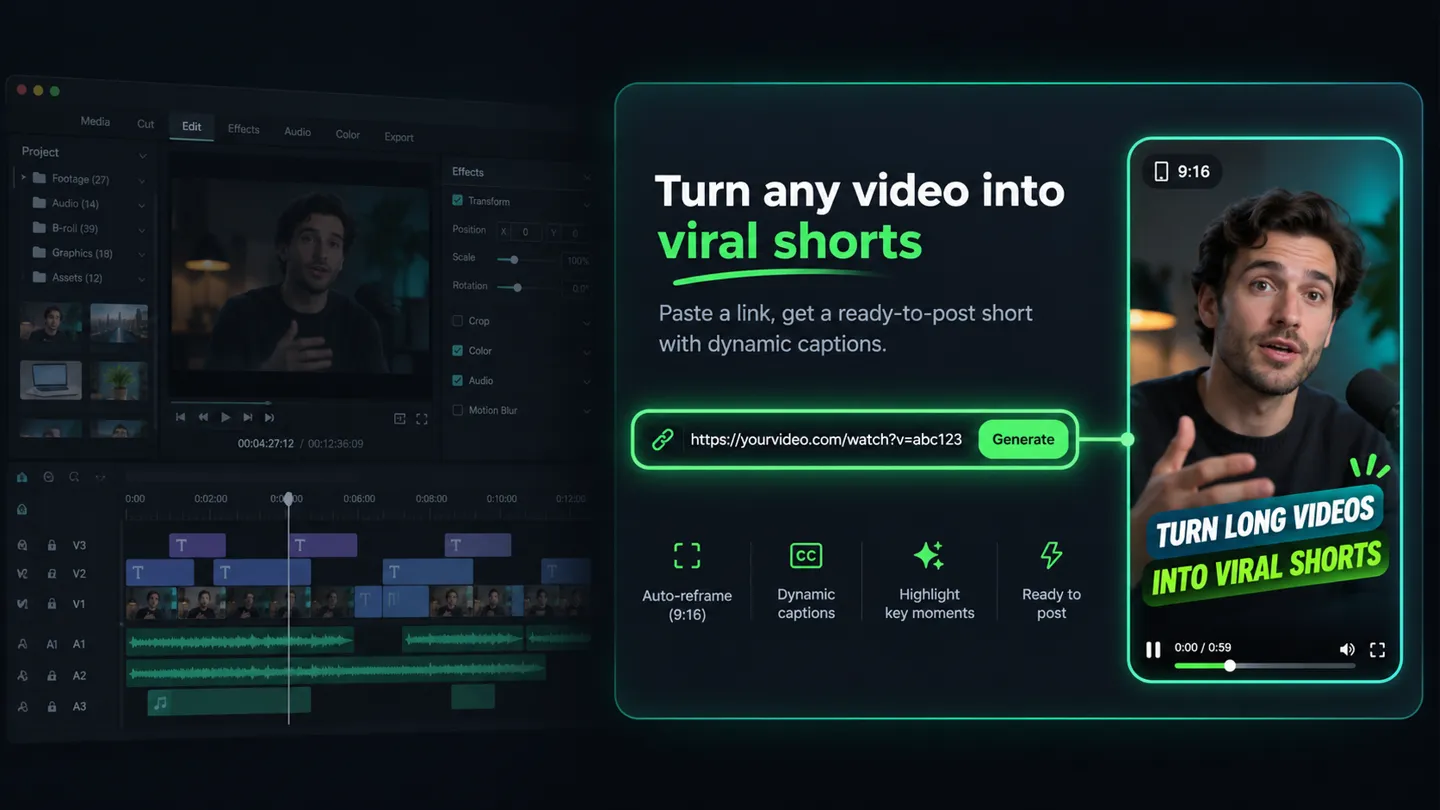
Four things that actually matter in an AI clipping tool
Ignore flashy feature lists—judge any clipper by how fast it gets clean, watchable 9:16 cuts live.
- 01 · Source Intake
Paste URLs—skip 10 GB downloads
When you clip 3-hour Twitch VODs, Kick streams, or YouTube podcasts, pasting a public link directly beats downloading multi-gigabyte MP4s into a desktop editor.
- 02 · 9:16 Vertical Framing
Native vertical without lazy black bars
The best clippers keep speakers centered and readable on phone screens instead of letterboxing widescreen footage where viewers swipe away instantly.
- 03 · Dynamic Captions
Active-word captions built for mute
Bold word-by-word captions grab eyes in the first two seconds on TikTok, Reels, and Shorts—critical for both channel growth and CPM clipping campaigns.
- 04 · Speed to Publish
Minimal clicks from link to batch
High-output clippers win by shipping volume fast. Clear 30s and 60s presets beat clicking through ten nested menus on every single VOD.
Which AI clipper fits how you publish?
- Streamers & Campaign Clippers
Pick Clipden for fast URL-to-9:16 batches
Built around one focused job: drop a YouTube, Twitch, Kick, or podcast link, toggle 30s/60s + Dynamic Captions, and queue vertical batches without heavy suite bloat.
Try Clipden with a link - YouTube Agencies & Full Suites
Pick OpusClip or Vizard for multi-seat timelines
If your marketing team needs shared folders, browser timeline editing, and built-in social scheduling calendars for webinars or client channels, full suites fit well.
See campaign workflow guide - Solo YouTube & Brand Marketers
Pick Klap or Munch for YouTube-centric workflows
Solo YouTube creators wanting minimalist subtitle styling lean toward Klap, while brand teams prioritizing keyword trend scoring often look at Munch.
See Twitch & Kick stream workflow
Questions before you pick a clipper
Explore our workflow guides for Vyro clipping, Content Rewards clipping, or the full Clipden FAQ.
Product names belong to their respective owners. Clipden is an independent tool and is not affiliated with OpusClip, Vizard, Klap, Munch, YouTube, Twitch, Kick, or TikTok.
What is the best AI clipping tool for Twitch, Kick, and clipping campaigns?
If your priority is dropping public YouTube, Twitch, Kick, or podcast links into a fast 9:16 + dynamic captions workflow for 30s and 60s batches, Clipden is built specifically for that speed-first loop.
How is Clipden different from all-in-one suites like OpusClip or Vizard?
All-in-one suites bundle team calendars, full browser timelines, and brand kits. Clipden stays stripped down to a dark-studio URL-to-9:16 workflow so streamers and campaign clippers spend fewer clicks per video.
Do all AI clipping tools support Twitch and Kick VOD links?
No—several popular clippers focus primarily on YouTube links or local file uploads. Always verify whether a tool supports direct Twitch and Kick URLs if you clip live streams regularly.
Is this comparison sponsored by any of the listed tools?
No. Product names belong to their respective owners. Clipden is an independent tool and is not affiliated with OpusClip, Vizard, Klap, Munch, YouTube, Twitch, Kick, or TikTok.
Test Clipden on your next YouTube, Twitch, or Kick link
Paste a public URL, pick 30s Shorts or 60s Clips with dynamic captions, and queue your vertical batch in seconds.
Open Clipden Clipper